Physical Address
304 North Cardinal St.
Dorchester Center, MA 02124
Physical Address
304 North Cardinal St.
Dorchester Center, MA 02124

Running a successful furniture business requires more than great products; it requires smart tools that help vendors save time, reduce manual work, and stay in full control of their operations. That’s exactly why offering Free Point of Sale (POS) System Access is one of the biggest advantages a marketplace can give to its vendors.
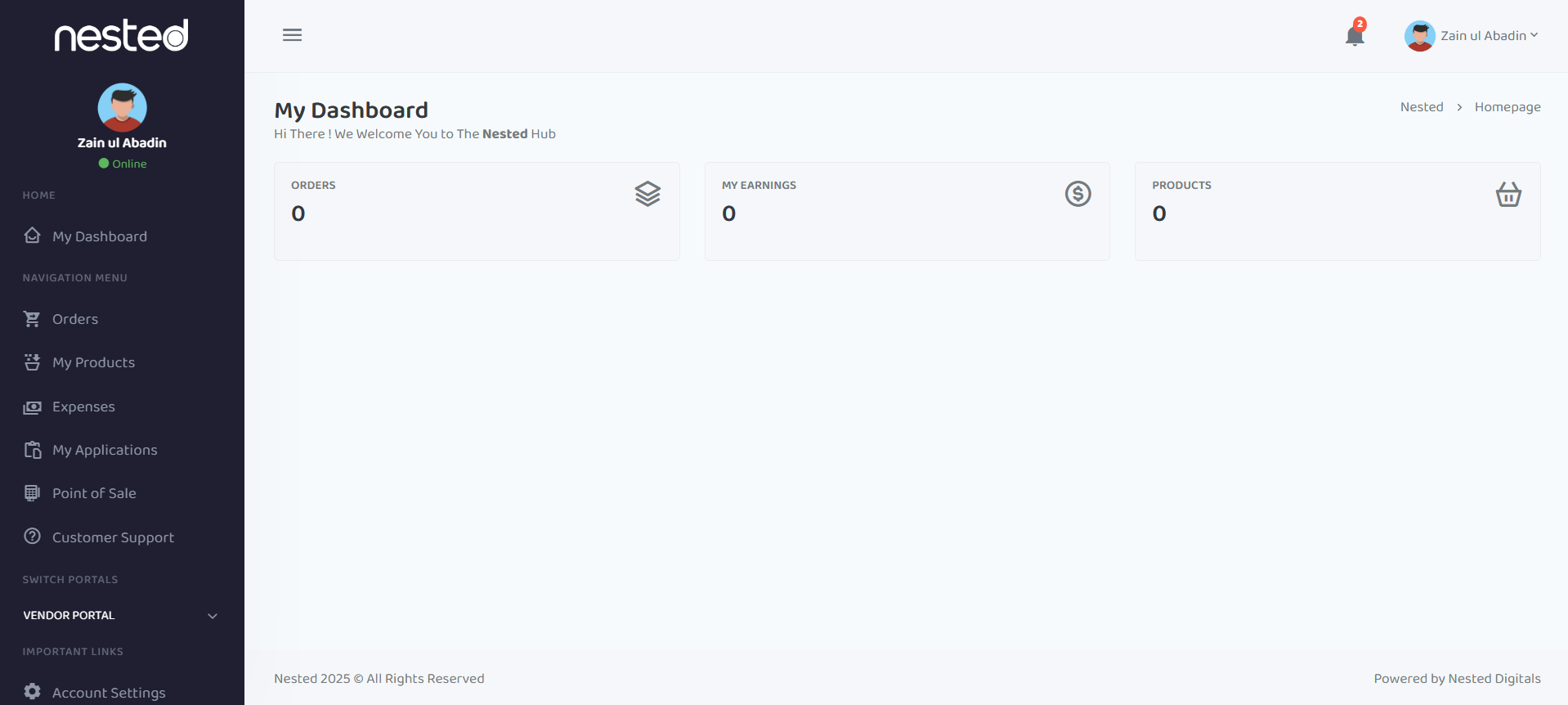
In this guide, we’ll explore the full set of vendor benefits that come with free POS access, using the exact features shown in the POS and Expenses Management dashboards inside the Nested Hub. This article will walk you through how each function supports your business, how it improves performance, and why it becomes a complete operational engine for every furniture seller.
When vendors log into the Nested Hub, the first thing they see in the Point of Sale (POS) section is a clean, easy-to-navigate dashboard. It’s designed to keep everything simple while giving complete visibility into sales transactions.
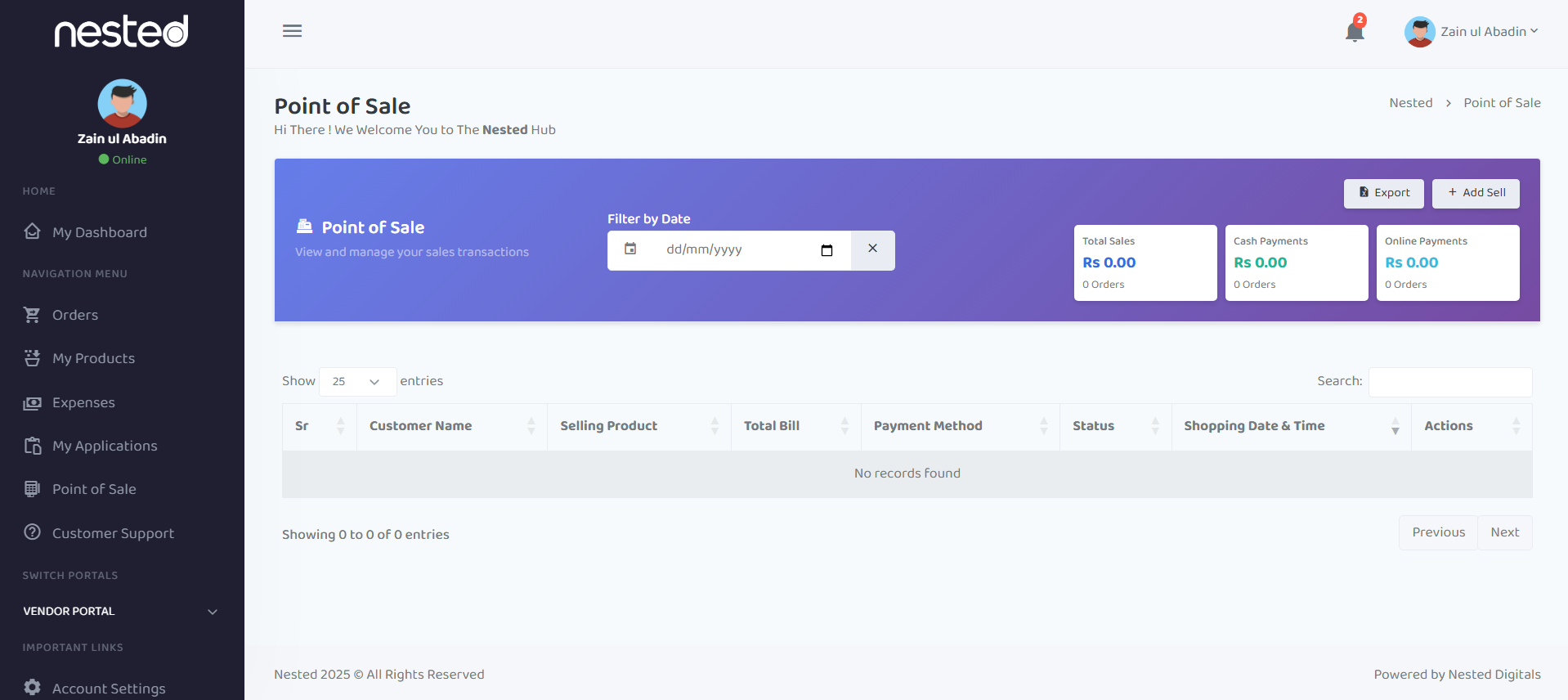
At a glance, the POS dashboard includes:
All these features are available without any subscription fee, making the POS one of the most valuable free tools for vendors.
Let’s break down how each part of the POS interface helps vendors manage and grow their business.
One of the biggest advantages of free POS access is the ability to track sales instantly. The dashboard displays three major highlights:
On the right-hand side of the POS dashboard, vendors can immediately see:
This quick snapshot helps vendors understand how their day is performing without opening multiple tabs.
To make things even easier, the dashboard separates:
This gives vendors clarity over how customers are choosing to pay, making it easier to manage accounts and reconcile finances.
The Filter by Date section lets vendors view sales transactions for:
With a single click on the calendar icon, the system updates all reports. This eliminates manual searching, spreadsheet digging, or guesswork.
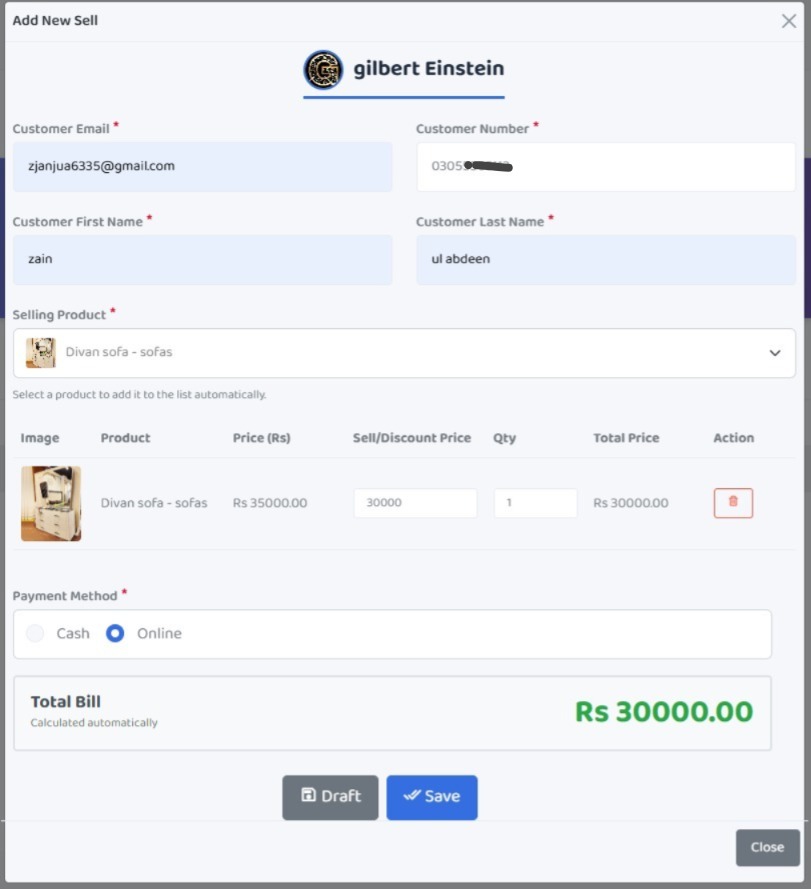
The Add Sell button is one of the most powerful features of the POS system. Vendors can create a sale entry manually, which is especially useful when they also sell offline.
This helps vendors:
Whether sales come from the marketplace or physical store, the POS handles everything in one place.
The Export button allows vendors to download their sales records instantly.
They can create:
The exportability makes the POS system a complete bookkeeping companion—without needing extra tools.
Below the main dashboard, vendors see an organized table with columns for:
Even if the table shows “No records found” on a new vendor account, the structure ensures that once orders begin rolling in, every detail is clearly displayed.
This table helps vendors:
This structure reduces confusion and keeps operations professional.
Because sales are recorded directly in the POS, the system updates stock levels automatically. Vendors don’t need to adjust inventory manually after each sale.
With this automation, vendors avoid:
This is especially important for furniture listings where every piece matters.
Your marketplace doesn’t just offer free POS access. It also includes a fully functional Expenses Management section inside the dashboard.
This second page gives vendors full control over their business expenses with features like:
This tool works seamlessly with the POS so vendors can track both income and expenses under one roof.
When vendors click Add Expense, they can create entries for:
This feature turns the vendor dashboard into a complete profit-monitoring system.
Just like the POS shows “Total Sales,” the Expenses page shows “Total Expenses.” Vendors see:
This provides a real-time understanding of where money is going.
The table includes:
Even with “No records found,” the layout makes the system intuitive. Once expenses are entered, vendors can sort, filter, or modify entries easily.
When vendors combine both dashboards—POS and Expenses—they get a complete financial picture.
They can quickly understand:
This transparency empowers vendors to make better decisions.
The free POS system isn’t just a convenience. It directly contributes to vendor success.
Here’s how:
Vendors stay aware of both income and expenses, which helps them grow confidently.
Since everything is in one place, vendors respond faster, reducing delays.
Exportable reports help vendors stay organized, especially during tax or audit seasons.
Accurate stock, faster sales, and on-time updates improve vendor ratings automatically.
With the Free Point of Sale (POS) System Access and integrated Expenses Management, vendors receive a complete business toolkit—without paying anything extra. These dashboards support sales, accounting, reporting, inventory management, and customer tracking, allowing vendors to work efficiently and grow confidently.
This system is designed to make the selling journey smoother, faster, and more transparent for every furniture vendor.
Want to grow your business with smart tools, seamless selling, and a powerful vendor dashboard?
Explore premium furniture listings or start selling today at nested.pk where vendors grow faster with better tools.